


Demo Slide Box Layar Kanan dan Kiri
Using a position between the right and left of the display screen which is usually empty, can now fill in the boxes we use the slide.
For more details click on more!.,
For more details click on more!.,
Demo "Like" FaceBooks
Install Demo "like" for Web / Blog of facebooks, increase the number of our friendship with the free, by creating pages on facebooks. Not beautiful.
Please make a page on facebooks and setting the Blog / Web:
Tricks Make facebooks page:
1. Can click on one yard below the left,
2. after an open right hand over the words "Create Page" and click on it, eating will lead to this ling: https://www.facebook.com/pages/create.php,
3. If it has been opened, the facility will muncil multiple columns, we use the permitted facility with free, such as "Artist, bend or public figure", unless we want to have its services business.
4. Click on "Artists, bend or public figure", it would appear:
a. Options category, live input select and click one,
b. Name, write the name of the desired page, use an obvious name (Big letters), can understand a lot of people, to the requirements of the name, just click the link under the column name the words "Terms of Facebook Pages" there is no requirement to write the name.
c. After writing the desired name, check the blank column under the column for name,
e. Then click on label "start"
5. Wait a minute and see the results, we will be directed to http://www.facebook.com/pages/getting_started (start with three langkahan):
- Photo Profile
- Get Fans
- General Info
If not ready langkahan photo or three, just click the label "continue" continuous, so fast and will be in addit.
6. When the final labeling clicking "continue", then never mind we have a page, we live edit:
For example: photos, invite friends, appearance, and others.
Have a good luck!, Multiply the companions for the good of all!.
Lastly thank you to the Owner facebooks and All of the Board, until we can bersillaturrahmi with all of them, may well add value and benefits derived. Aamiin!.
Add LANGUAGE (NB)
1. http://www.facebook.com/pages/getting_started link on the letter "F" can not open, because there are additional end for each code.
2. How to Modify Page facebooks:
After we build the page, like the previous instructions, we will now modify the appearance, including:
1). Kompirmasi first, next on our page, any posts kompirmasi for what, and what, stay selected, and click the label "Confirm Your page".
2). Look to the right slightly above, there is a label the words "Edit Page". click on it and will be directed to a variety of editing,
3). Once opened there is the various ways penyutingan (Settings), see the instructions and click the left column marched on, samapai down, it's all for us menyuting, whether people want to know / do not and others.
If you want to appear on our FB profile; click on the left dikolom "seed", after the open, click the label says "Edit Owner Halam seed", it would appear the owners (us), check the bok blank, and click the label the words "Save".
It is finished.
Back to our FB, see below left appears.
Happy at work, success for all!.
Bisa lihat disini untuk bahasa Indonesia
Please make a page on facebooks and setting the Blog / Web:
Tricks Make facebooks page:
1. Can click on one yard below the left,
2. after an open right hand over the words "Create Page" and click on it, eating will lead to this ling: https://www.facebook.com/pages/create.php,
3. If it has been opened, the facility will muncil multiple columns, we use the permitted facility with free, such as "Artist, bend or public figure", unless we want to have its services business.
4. Click on "Artists, bend or public figure", it would appear:
a. Options category, live input select and click one,
b. Name, write the name of the desired page, use an obvious name (Big letters), can understand a lot of people, to the requirements of the name, just click the link under the column name the words "Terms of Facebook Pages" there is no requirement to write the name.
c. After writing the desired name, check the blank column under the column for name,
e. Then click on label "start"
5. Wait a minute and see the results, we will be directed to http://www.facebook.com/pages/getting_started (start with three langkahan):
- Photo Profile
- Get Fans
- General Info
If not ready langkahan photo or three, just click the label "continue" continuous, so fast and will be in addit.
6. When the final labeling clicking "continue", then never mind we have a page, we live edit:
For example: photos, invite friends, appearance, and others.
Have a good luck!, Multiply the companions for the good of all!.
Lastly thank you to the Owner facebooks and All of the Board, until we can bersillaturrahmi with all of them, may well add value and benefits derived. Aamiin!.
Add LANGUAGE (NB)
1. http://www.facebook.com/pages/getting_started link on the letter "F" can not open, because there are additional end for each code.
2. How to Modify Page facebooks:
After we build the page, like the previous instructions, we will now modify the appearance, including:
1). Kompirmasi first, next on our page, any posts kompirmasi for what, and what, stay selected, and click the label "Confirm Your page".
2). Look to the right slightly above, there is a label the words "Edit Page". click on it and will be directed to a variety of editing,
3). Once opened there is the various ways penyutingan (Settings), see the instructions and click the left column marched on, samapai down, it's all for us menyuting, whether people want to know / do not and others.
If you want to appear on our FB profile; click on the left dikolom "seed", after the open, click the label says "Edit Owner Halam seed", it would appear the owners (us), check the bok blank, and click the label the words "Save".
It is finished.
Back to our FB, see below left appears.
Happy at work, success for all!.
Bisa lihat disini untuk bahasa Indonesia
Continue the positive work and a lot of benefits

Maybe others are more clever in understanding this blog, we are only a part of who likes to create a blog, expect many benefits for all without exception.
For a demo of this blog, so we create a useful, useless, presenting various works, as well as with modifications and art, until terlahirnya visitors with the beauty and can take the benefits.
Let's continue to work the fositive, until the birth of peace for all, success and work continues!.
Demo Table 2
| Header1 | Header2 | Header3 | Header4 | Header5 | Header6 | Header7 | Header8 |
|---|---|---|---|---|---|---|---|
| cell 1 | Cell 2 | Cell 3 | Cell 4 | Cell 5 | Cell 6 | Cell 7 | Cell 8 |
| cell 1 | Cell 2 | Cell 3 | Cell 4 | Cell 5 | Cell 6 | Cell 7 | Cell 8 |
| cell 1 | Cell 2 | Cell 3 | Cell 4 | Cell 5 | Cell 6 | Cell 7 | Cell 8 |
| cell 1 | Cell 2 | Cell 3 | Cell 4 | Cell 5 | Cell 6 | Cell 7 | Cell 8 |
| cell 1 | Cell 2 | Cell 3 | Cell 4 | Cell 5 | Cell 6 | Cell 7 | Cell 8 |
| cell 1 | Cell 2 | Cell 3 | Cell 4 | Cell 5 | Cell 6 | Cell 7 | Cell 8 |
| cell 1 | Cell 2 | Cell 3 | Cell 4 | Cell 5 | Cell 6 | Cell 7 | Cell 8 |
| cell 1 | Cell 2 | Cell 3 | Cell 4 | Cell 5 | Cell 6 | Cell 7 | Cell 8 |
| cell 1 | Cell 2 | Cell 3 | Cell 4 | Cell 5 | Cell 6 | Cell 7 | Cell 8 |
| cell 1 | Cell 2 | Cell 3 | Cell 4 | Cell 5 | Cell 6 | Cell 7 | Cell 8 |
| cell 1 | Cell 2 | Cell 3 | Cell 4 | Cell 5 | Cell 6 | Cell 7 | Cell 8 |
| Header1 | Header2 | Header3 | Header4 | Header5 | Header6 | Header7 | Header8 |
|---|---|---|---|---|---|---|---|
| cell 1 | Cell 2 | Cell 3 | Cell 4 | Cell 5 | Cell 6 | Cell 7 | Cell 8 |
| cell 1 | Cell 2 | Cell 3 | Cell 4 | Cell 5 | Cell 6 | Cell 7 | Cell 8 |
| cell 1 | Cell 2 | Cell 3 | Cell 4 | Cell 5 | Cell 6 | Cell 7 | Cell 8 |
| cell 1 | Cell 2 | Cell 3 | Cell 4 | Cell 5 | Cell 6 | Cell 7 | Cell 8 |
| cell 1 | Cell 2 | Cell 3 | Cell 4 | Cell 5 | Cell 6 | Cell 7 | Cell 8 |
Untuk kode Tablenya adalah: copy code dibawah ini dan silahkan masukan diposting anda dan lihat hasilnya, lalu perhatikan tanda yang di kasih warna biru, anda bisa merobahnya sesuai dengan apa yang anda inginkan, selamat menciba,
Jika ingin polos/tanpa warna, buang saja warnanya seperti :yellow; tinggal dibuang tulisan yellow, jadi :;
<center><table border cellpadding="0" cellspacing="0" style="border:2px ridge; font-size:16px; font-family:arrial; font-weight: bolder; color:blue;" ><tbody><tr><th style="background:green;">Header1</th><th style="background:yellow;">Header2</th><th style="background:yellow;">Header3</th><th style="background:green;">Header4</th><th style="background:yellow;">Header5</th><th style="background:yellow;">Header6</th><th style="background:yellow;">Header7</th><th style="background:red;">Header8</th></tr></tbody><tbody style="font-size:12px; font-family:arrial; font-weight:bold; color:white;" ><tr><th>cell 1</th><th>Cell 2</th><th>Cell 3</th><th>Cell 4</th><th>Cell 5</th><th>Cell 6</th><th>Cell 7</th><th>Cell 8</th></tr><tbody style="font-size:12px; font-family:arrial; font-weight:bold; color:white;" ><tr><th>cell 1</th><th>Cell 2</th><th>Cell 3</th><th>Cell 4</th><th>Cell 5</th><th>Cell 6</th><th>Cell 7</th><th>Cell 8</th></tr><tbody style="font-size:12px; font-family:arrial; font-weight:bold; color:white;" ><tr><th>cell 1</th><th>Cell 2</th><th>Cell 3</th><th>Cell 4</th><th>Cell 5</th><th>Cell 6</th><th>Cell 7</th><th>Cell 8</th></tr><tbody style="font-size:12px; font-family:arrial; font-weight:bold; color:white;" ><tr><th>cell 1</th><th>Cell 2</th><th>Cell 3</th><th>Cell 4</th><th>Cell 5</th><th>Cell 6</th><th>Cell 7</th><th>Cell 8</th></tr><tbody style="font-size:12px; font-family:arrial; font-weight:bold; color:white;" ><tr><th>cell 1</th><th>Cell 2</th><th>Cell 3</th><th>Cell 4</th><th>Cell 5</th><th>Cell 6</th><th>Cell 7</th><th>Cell 8</th></tr></tbody></table></center>
| Header1 | Header2 | Header3 | Header4 | Header5 | Header6 | Header7 | Header8 |
|---|---|---|---|---|---|---|---|
| cell 1 | Cell 2 | Cell 3 | Cell 4 | Cell 5 | Cell 6 | Cell 7 | Cell 8 |
| cell 1 | Cell 2 | Cell 3 | Cell 4 | Cell 5 | Cell 6 | Cell 7 | Cell 8 |
| cell 1 | Cell 2 | Cell 3 | Cell 4 | Cell 5 | Cell 6 | Cell 7 | Cell 8 |
| cell 1 | Cell 2 | Cell 3 | Cell 4 | Cell 5 | Cell 6 | Cell 7 | Cell 8 |
| cell 1 | Cell 2 | Cell 3 | Cell 4 | Cell 5 | Cell 6 | Cell 7 | Cell 8 |
| Header1 | Header2 | Header3 | Header4 |
|---|---|---|---|
| cell 1 | Cell 2 | Cell 3 | Cell 4 |
| cell 1 | Cell 2 | Cell 3 | Cell 4 |
| cell 1 | Cell 2 | Cell 3 | Cell 4 |
| cell 1 | Cell 2 | Cell 3 | Cell 4 |
| cell 1 | Cell 2 | Cell 3 | Cell 4 |
| cell 1 | Cell 2 | Cell 3 | Cell 4 |
| cell 1 | Cell 2 | Cell 3 | Cell 4 |
| cell 1 | Cell 2 | Cell 3 | Cell 4 |
| cell 1 | Cell 2 | Cell 3 | Cell 4 |
| cell 1 | Cell 2 | Cell 3 | Cell 4 |
| cell 1 | Cell 2 | Cell 3 | Cell 4 |
| Header1 | Header2 | Header3 | Header4 | Header5 | Header6 | Header7 | Header8 |
|---|---|---|---|---|---|---|---|
| cell 1 | Cell 2 | Cell 3 | Cell 4 | Cell 5 | Cell 6 | Cell 7 | Cell 8 |
| cell 1 | Cell 2 | Cell 3 | Cell 4 | Cell 5 | Cell 6 | Cell 7 | Cell 8 |
| cell 1 | Cell 2 | Cell 3 | Cell 4 | Cell 5 | Cell 6 | Cell 7 | Cell 8 |
| cell 1 | Cell 2 | Cell 3 | Cell 4 | Cell 5 | Cell 6 | Cell 7 | Cell 8 |
| cell 1 | Cell 2 | Cell 3 | Cell 4 | Cell 5 | Cell 6 | Cell 7 | Cell 8 |
| cell 1 | Cell 2 | Cell 3 | Cell 4 | Cell 5 | Cell 6 | Cell 7 | Cell 8 |
| cell 1 | Cell 2 | Cell 3 | Cell 4 | Cell 5 | Cell 6 | Cell 7 | Cell 8 |
| cell 1 | Cell 2 | Cell 3 | Cell 4 | Cell 5 | Cell 6 | Cell 7 | Cell 8 |
| cell 1 | Cell 2 | Cell 3 | Cell 4 | Cell 5 | Cell 6 | Cell 7 | Cell 8 |
| cell 1 | Cell 2 | Cell 3 | Cell 4 | Cell 5 | Cell 6 | Cell 7 | Cell 8 |
| cell 1 | Cell 2 | Cell 3 | Cell 4 | Cell 5 | Cell 6 | Cell 7 | Cell 8 |
Demo Javascript tersembunyi
@NB@
Belajar Blog
- Apa Arti
- Tujuan
- Hikmah
- Dasar
- Bagian Blog
- Modifikasi
- Artikel
- Bisnis Online
- Header
- Gatget
- Menubar
- Slidebar
- CCS
- Penulisan
- Pandang Sudut
- Info
- Link
- Posting
- Komentar
Tips - Trik Blogger
- Tuliskan Link Title di sini! Tuliskan Link Title di sini!
- Tuliskan Link Title di sini!
- Tuliskan Link Title di sini! Tuliskan Link Title di sini!
- Tuliskan Link Title di sini! Tuliskan Link Title di sini!
- Tuliskan Link Title di sini! Tuliskan Link Title di sini!
- Tuliskan Link Title di sini! Tuliskan Link Title di sini!
- Tuliskan Link Title di sini! Tuliskan Link Title di sini!
- Tuliskan Link Title di sini! Tuliskan Link Title di sini!
Tips - Trik Blogger
- Tuliskan Link Title di sini! Tuliskan Link Title di sini!
- Tuliskan Link Title di sini!
- Tuliskan Link Title di sini! Tuliskan Link Title di sini!
- Tuliskan Link Title di sini! Tuliskan Link Title di sini!
- Tuliskan Link Title di sini! Tuliskan Link Title di sini!
- Tuliskan Link Title di sini! Tuliskan Link Title di sini!
- Tuliskan Link Title di sini! Tuliskan Link Title di sini!
- Tuliskan Link Title di sini! Tuliskan Link Title di sini!
Tips - Trik Blogger
- Tuliskan Link Title di sini! Tuliskan Link Title di sini!
- Tuliskan Link Title di sini!
- Tuliskan Link Title di sini! Tuliskan Link Title di sini!
- Tuliskan Link Title di sini! Tuliskan Link Title di sini!
- Tuliskan Link Title di sini! Tuliskan Link Title di sini!
- Tuliskan Link Title di sini! Tuliskan Link Title di sini!
- Tuliskan Link Title di sini! Tuliskan Link Title di sini!
- Tuliskan Link Title di sini! Tuliskan Link Title di sini!
Tips - Trik Blogger
- Tuliskan Link Title di sini! Tuliskan Link Title di sini!
- Tuliskan Link Title di sini!
- Tuliskan Link Title di sini! Tuliskan Link Title di sini!
- Tuliskan Link Title di sini! Tuliskan Link Title di sini!
- Tuliskan Link Title di sini! Tuliskan Link Title di sini!
- Tuliskan Link Title di sini! Tuliskan Link Title di sini!
- Tuliskan Link Title di sini! Tuliskan Link Title di sini!
- Tuliskan Link Title di sini! Tuliskan Link Title di sini!
Tips - Trik Blogger
- Tuliskan Link Title di sini! Tuliskan Link Title di sini!
- Tuliskan Link Title di sini!
- Tuliskan Link Title di sini! Tuliskan Link Title di sini!
- Tuliskan Link Title di sini! Tuliskan Link Title di sini!
- Tuliskan Link Title di sini! Tuliskan Link Title di sini!
- Tuliskan Link Title di sini! Tuliskan Link Title di sini!
- Tuliskan Link Title di sini! Tuliskan Link Title di sini!
- Tuliskan Link Title di sini! Tuliskan Link Title di sini!
Tips - Trik Blogger
- Tuliskan Link Title di sini! Tuliskan Link Title di sini!
- Tuliskan Link Title di sini!
- Tuliskan Link Title di sini! Tuliskan Link Title di sini!
- Tuliskan Link Title di sini! Tuliskan Link Title di sini!
- Tuliskan Link Title di sini! Tuliskan Link Title di sini!
- Tuliskan Link Title di sini! Tuliskan Link Title di sini!
- Tuliskan Link Title di sini! Tuliskan Link Title di sini!
- Tuliskan Link Title di sini! Tuliskan Link Title di sini!
Tips - Trik Blogger
- Tuliskan Link Title di sini! Tuliskan Link Title di sini!
- Tuliskan Link Title di sini!
- Tuliskan Link Title di sini! Tuliskan Link Title di sini!
- Tuliskan Link Title di sini! Tuliskan Link Title di sini!
- Tuliskan Link Title di sini! Tuliskan Link Title di sini!
- Tuliskan Link Title di sini! Tuliskan Link Title di sini!
- Tuliskan Link Title di sini! Tuliskan Link Title di sini!
- Tuliskan Link Title di sini! Tuliskan Link Title di sini!
Tips - Trik Blogger
- Tuliskan Link Title di sini! Tuliskan Link Title di sini!
- Tuliskan Link Title di sini!
- Tuliskan Link Title di sini! Tuliskan Link Title di sini!
- Tuliskan Link Title di sini! Tuliskan Link Title di sini!
- Tuliskan Link Title di sini! Tuliskan Link Title di sini!
- Tuliskan Link Title di sini! Tuliskan Link Title di sini!
- Tuliskan Link Title di sini! Tuliskan Link Title di sini!
- Tuliskan Link Title di sini! Tuliskan Link Title di sini!
Tips - Trik Blogger
- Tuliskan Link Title di sini! Tuliskan Link Title di sini!
- Tuliskan Link Title di sini!
- Tuliskan Link Title di sini! Tuliskan Link Title di sini!
- Tuliskan Link Title di sini! Tuliskan Link Title di sini!
- Tuliskan Link Title di sini! Tuliskan Link Title di sini!
- Tuliskan Link Title di sini! Tuliskan Link Title di sini!
- Tuliskan Link Title di sini! Tuliskan Link Title di sini!
- Tuliskan Link Title di sini! Tuliskan Link Title di sini!
Tips - Trik Blogger
- Tuliskan Link Title di sini! Tuliskan Link Title di sini!
- Tuliskan Link Title di sini!
- Tuliskan Link Title di sini! Tuliskan Link Title di sini!
- Tuliskan Link Title di sini! Tuliskan Link Title di sini!
- Tuliskan Link Title di sini! Tuliskan Link Title di sini!
- Tuliskan Link Title di sini! Tuliskan Link Title di sini!
- Tuliskan Link Title di sini! Tuliskan Link Title di sini!
- Tuliskan Link Title di sini! Tuliskan Link Title di sini!
Tips - Trik Blogger
- Tuliskan Link Title di sini! Tuliskan Link Title di sini!
- Tuliskan Link Title di sini!
- Tuliskan Link Title di sini! Tuliskan Link Title di sini!
- Tuliskan Link Title di sini! Tuliskan Link Title di sini!
- Tuliskan Link Title di sini! Tuliskan Link Title di sini!
- Tuliskan Link Title di sini! Tuliskan Link Title di sini!
- Tuliskan Link Title di sini! Tuliskan Link Title di sini!
- Tuliskan Link Title di sini! Tuliskan Link Title di sini!
Tips - Trik Blogger
- Tuliskan Link Title di sini! Tuliskan Link Title di sini!
- Tuliskan Link Title di sini!
- Tuliskan Link Title di sini! Tuliskan Link Title di sini!
- Tuliskan Link Title di sini! Tuliskan Link Title di sini!
- Tuliskan Link Title di sini! Tuliskan Link Title di sini!
- Tuliskan Link Title di sini! Tuliskan Link Title di sini!
- Tuliskan Link Title di sini! Tuliskan Link Title di sini!
- Tuliskan Link Title di sini! Tuliskan Link Title di sini!
Tips - Trik Blogger
- Tuliskan Link Title di sini! Tuliskan Link Title di sini!
- Tuliskan Link Title di sini!
- Tuliskan Link Title di sini! Tuliskan Link Title di sini!
- Tuliskan Link Title di sini! Tuliskan Link Title di sini!
- Tuliskan Link Title di sini! Tuliskan Link Title di sini!
- Tuliskan Link Title di sini! Tuliskan Link Title di sini!
- Tuliskan Link Title di sini! Tuliskan Link Title di sini!
- Tuliskan Link Title di sini! Tuliskan Link Title di sini!
Tips - Trik Blogger
- Tuliskan Link Title di sini! Tuliskan Link Title di sini!
- Tuliskan Link Title di sini!
- Tuliskan Link Title di sini! Tuliskan Link Title di sini!
- Tuliskan Link Title di sini! Tuliskan Link Title di sini!
- Tuliskan Link Title di sini! Tuliskan Link Title di sini!
- Tuliskan Link Title di sini! Tuliskan Link Title di sini!
- Tuliskan Link Title di sini! Tuliskan Link Title di sini!
- Tuliskan Link Title di sini! Tuliskan Link Title di sini!
Tips - Trik Blogger
- Tuliskan Link Title di sini! Tuliskan Link Title di sini!
- Tuliskan Link Title di sini!
- Tuliskan Link Title di sini! Tuliskan Link Title di sini!
- Tuliskan Link Title di sini! Tuliskan Link Title di sini!
- Tuliskan Link Title di sini! Tuliskan Link Title di sini!
- Tuliskan Link Title di sini! Tuliskan Link Title di sini!
- Tuliskan Link Title di sini! Tuliskan Link Title di sini!
- Tuliskan Link Title di sini! Tuliskan Link Title di sini!
Tips - Trik Blogger
- Tuliskan Link Title di sini! Tuliskan Link Title di sini!
- Tuliskan Link Title di sini!
- Tuliskan Link Title di sini! Tuliskan Link Title di sini!
- Tuliskan Link Title di sini! Tuliskan Link Title di sini!
- Tuliskan Link Title di sini! Tuliskan Link Title di sini!
- Tuliskan Link Title di sini! Tuliskan Link Title di sini!
- Tuliskan Link Title di sini! Tuliskan Link Title di sini!
- Tuliskan Link Title di sini! Tuliskan Link Title di sini!
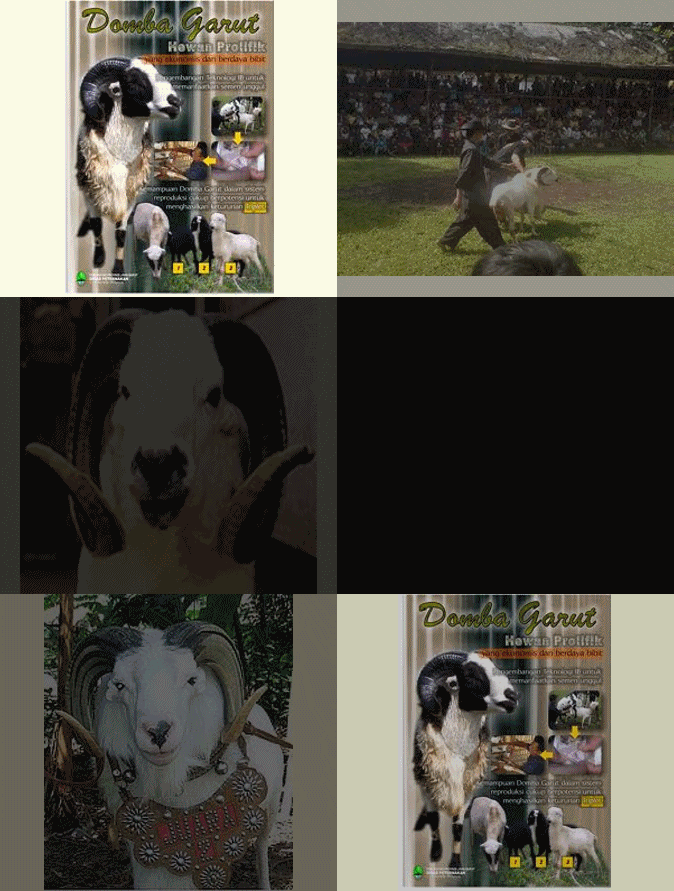
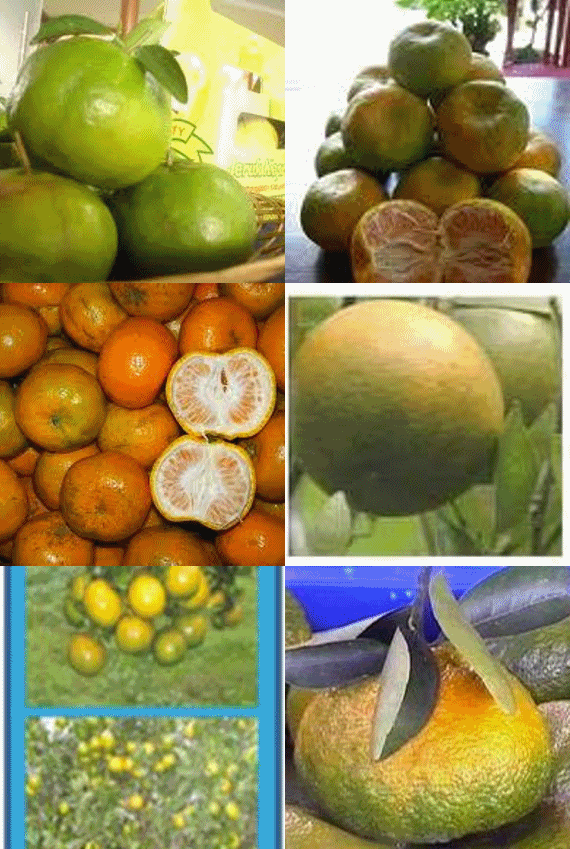
Demo Slide Foto
Silahkan dicoba, klik tombol nomor 1 sampai dengan 6 dibawah, lihat hasilnya.....
Jika tertarik bisa anda cek caranya disini
Kembali lagi ke




Jika tertarik bisa anda cek caranya disini
Demo Secroll Box
Takterasa, sudah hari Jum'at lagi, hari-hariku ditemani dengan kesepian jauh dari anak, istri dan keluarga, beginilah yang selalu sendiri.

Demo Translate

| width="100%" height="100%" frameborder="0" style="background-color: rgb(255, 255, 255); height: 550px; width: 800px; "> |
Demo Flash Massage 2

I made this widget at MyFlashFetish.com.
Jika anda ingin dengan indahnya blog kaya tulisan atas lihat ada tulisan dibawahnya tinggal klik aja dan ikuti intruksinya.... atau www.myflashfetish.com


Demo Jam 2
Demo cloks/Jam, Jauhnya untuk Waktu www.clocklink.com
Subscribe to:
Posts (Atom)